
On May 21, the FBI warned the country about a phishing kit that hijacks Microsoft 365 accounts without ever stealing a password. WatchPoint had already shut that door for every client it protects, five weeks earlier.
TL;DR
On Thursday, May 21, 2026, the FBI's Internet Crime Complaint Center issued a public service announcement about a new criminal toolkit called Kali365. It hijacks Microsoft 365 accounts (Outlook, Teams, OneDrive, all of it) without stealing a single password and without tripping multifactor authentication. By the time it reached national coverage, it was already being rented to anyone with a Telegram account and a couple hundred dollars.
WatchPoint clients were protected from its primary attack method on April 16, more than a month before that warning. Here's what the attack is, why it's so dangerous, and what WatchPoint did about it.
You've used device authentication without knowing its name. When you sign a smart TV into a streaming app by typing a short code at a website on your phone, that's device authentication. Microsoft built the same capability into Microsoft 365. It's called device code flow, part of an open standard called OAuth 2.0, and it exists for hardware that can't easily show a login screen or accept a typed password: conference room systems, printers, IoT devices, and the command line tools that IT teams use.
The flow is simple by design. A device asks Microsoft for a short code. A person goes to the real Microsoft page, microsoft.com/devicelogin, enters the code, signs in normally, and Microsoft trusts that device from then on. Nothing about this is malicious. It's a convenience feature working exactly as intended.
That convenience is exactly what attackers learned to take advantage of.
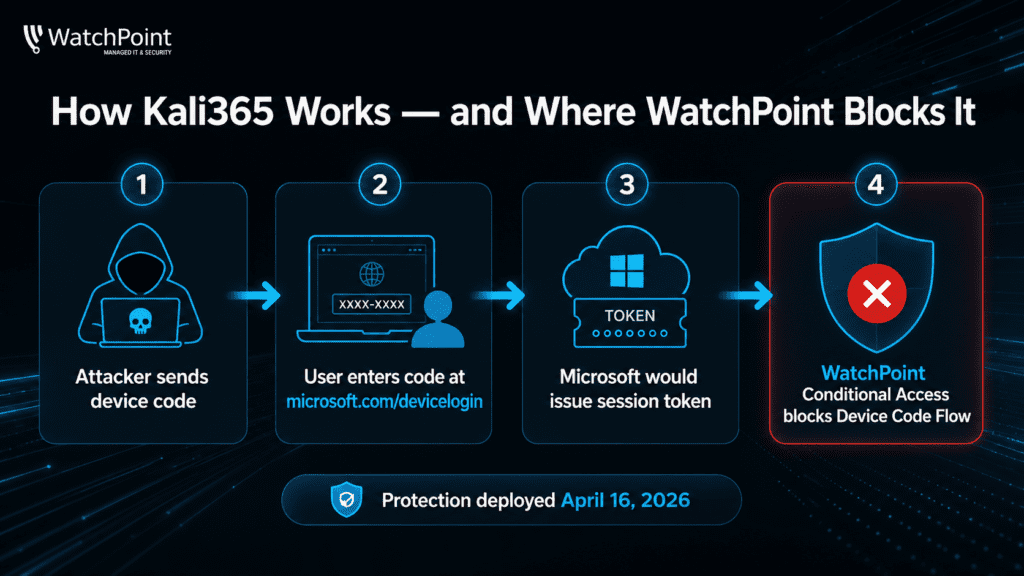
Kali365 is what the industry calls phishing as a service. The developers build and maintain the toolkit while less skilled criminals rent access and run the actual attacks. Security firm Arctic Wolf documented it in April 2026. It rents for roughly $250 a month or $2,000 a year, paid in untraceable cryptocurrency, and ships with lure emails written by AI, prebuilt campaign templates, and a live dashboard for tracking victims in real time.
The attack itself is deceptively clean. The criminal starts the device code flow and emails you the code, disguised as a shared document or an IT notification. You enter it at the legitimate Microsoft page, because the page is real. You sign in. You even pass MFA. But the device you just authorized isn't yours. It belongs to the attacker. The moment you finish, Microsoft hands over the keys.
Here's what makes this attack so dangerous: there's no fake website to spot, no malicious link to block, no malware to catch. The attacker walks in on a genuine Microsoft login, behind a successful MFA prompt. Everything your traditional defenses are trained to flag simply isn't there.
This is the most important point, and the most misunderstood. Kali365 doesn't steal your password. It steals your session token, the digital credential Microsoft issues after you've already logged in and cleared MFA.
Microsoft issues two tokens. One expires quickly. The other, the refresh token, can keep a session alive for weeks. Kali365 grabs both. A stolen refresh token is a master key to your mailbox and files that needs no password and no MFA prompt, and it keeps working until someone explicitly revokes it. Here's the detail that catches most organizations off guard: resetting the victim's password does not lock the attacker out. The session is already theirs.
That's why the FBI framed Kali365 as a problem of stolen sessions, not stolen passwords, and why the standard advice (“turn on MFA, change your password”) isn't enough on its own. The attack lives a layer above all of that.
A hijacked mailbox is rarely the goal. It's the setup. A quietly compromised email account is the launchpad for the most expensive cybercrime in America right now: business email compromise, the wire fraud that cost U.S. organizations more than $3 billion in 2025 according to the FBI's own figures.
Device code phishing didn't appear out of nowhere with Kali365. The technique had been climbing through late 2025 and early 2026. Researchers at Proofpoint and Huntress were tracking campaigns that abused the device code flow months before Kali365 turned it into a product. WatchPoint saw the same signals.
So on April 16, 2026, WatchPoint's Microsoft 365 team deployed a single, decisive control across every client tenant under management: a Conditional Access policy in Microsoft Entra that blocks the device code authentication flow outright.
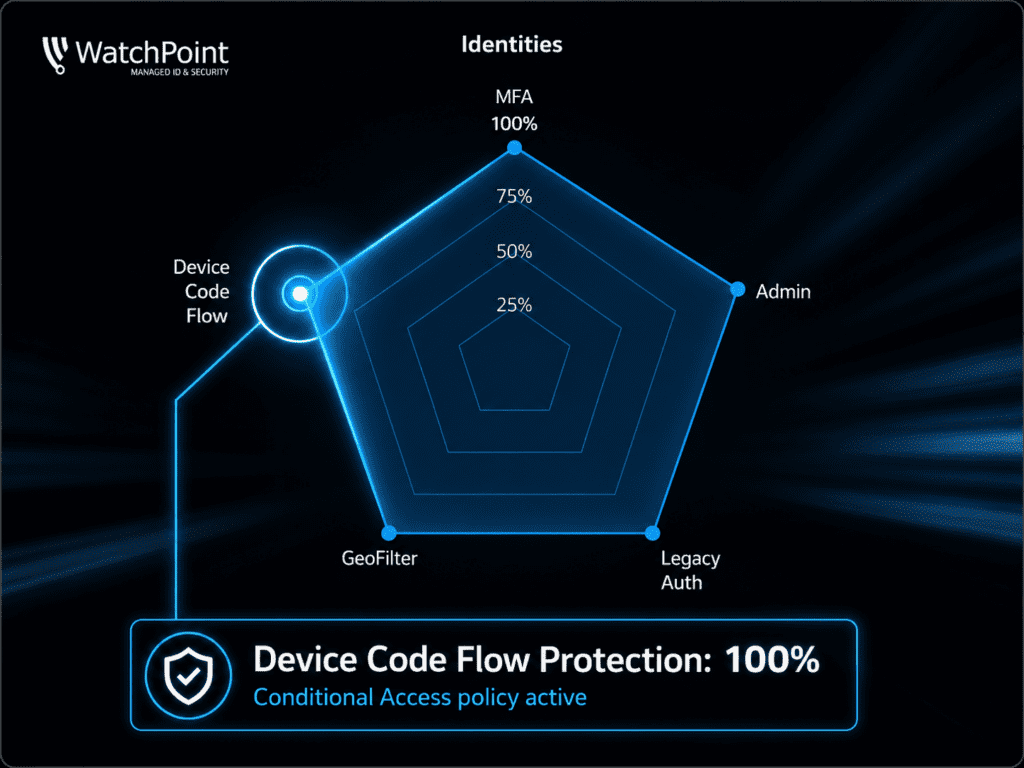
In plain terms, if anyone tries to sign in using the device code method, whether it is you, an employee, or an attacker holding a phished code, Microsoft refuses before a token is ever created. The exact mechanism Kali365 depends on simply isn't available. The policy covers all users. Emergency access accounts are preserved so a policy change can never lock a client out, and the policy was confirmed live and enforcing, not just logging.
| Microsoft Entra · Conditional Access Policy | |
| Policy state | Enabled and enforcing |
| Assigned users | All users (emergency access accounts excluded) |
| Target resources | All cloud resources |
| Condition | Authentication flows → Device code flow |
| Grant control | BLOCK ACCESS |
| Effective date | April 16, 2026 |
| The Timeline | |
| Late 2025 to early 2026 | Device code phishing climbs sharply, and researchers raise the alarm about the technique. |
| April 16, 2026 | WatchPoint blocks the device code flow for every managed client tenant. [WatchPoint] |
| April 2026 | Kali365 first surfaces, sold quietly through Telegram cybercrime channels. |
| May 21, 2026 | The FBI issues its national public service announcement warning organizations about Kali365. |
| Late May 2026 | Kali365 reaches widespread media coverage and broad criminal adoption. |
Those five weeks weren't luck. They are the difference between a security provider that reacts to headlines and one that closes doors before they are forced open.
SECURITY POSTURE GATEWAY

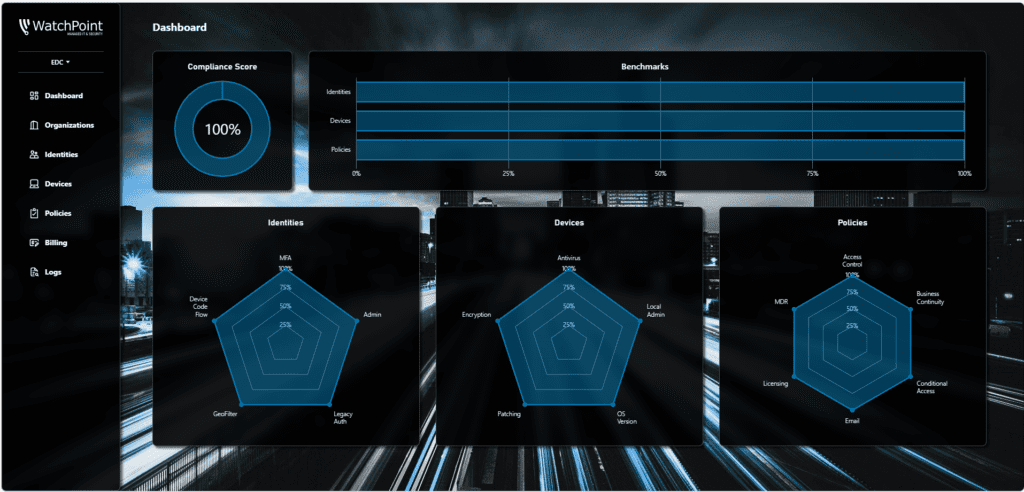
No WatchPoint client has to take any of this on faith. Every client gets a Security Posture Gateway (SPG), a live dashboard showing which protections are active and working in their environment. Device Code Flow is a line item on it. Green means your tenant is provably blocking the exact technique the FBI warned about, and it has been since April 16. No slideware, no “trust us,” just verifiable proof on demand.

●  Status: Device Code Flow active since April 16, 2026
FULL DISCLOSURE
One control closes the main door. It does not close every door.
Better to give the full truth than oversell a single setting. Blocking the device code flow shuts down Kali365's primary attack path completely. But Kali365 has a second, sneakier mode that works differently. It sits invisibly between you and Microsoft, lets you log in normally, and steals the session cookie afterward. That is a different mechanism, and it needs a different answer.
So, the device code block is one layer of several. For the second mode, WatchPoint layers on token protection, Continuous Access Evaluation that can revoke a stolen session the moment risk appears, shorter token lifetimes, and credentials that resist phishing, such as passkeys. Layered security is not a buzzword here. It is the only thing that reliably holds up against an attacker who keeps changing the angle of attack.
If your organization runs on Microsoft 365, and nearly every business does, the question isn't whether attackers are coming for your accounts. It's whether the door is locked before they arrive. For WatchPoint clients, on this particular attack, it was locked on April 16.
